

How National Casino works on a phone

The mobile site is the only way to reach National Casino from a phone. You open the casino in the browser you already use, log in or create an account, and play from there. The mobile version page lists the steps, and separate pages cover the iPhone route and the Android route. If you do not have an account yet, the sign up page walks through registration, and the login page covers returning to an existing account.
The range at National Casino includes live dealer games and games from 176 providers, among them NetEnt, Pragmatic Play, Play'n GO, Evolution, Playtech, Nolimit City, Hacksaw Gaming, Quickspin, Yggdrasil, Blueprint Gaming, Spribe, Novomatic, Playson, Betsoft and Ezugi. Before you deposit, open the game list on your own phone and check that the games you want are there. The slots page and the live casino page describe the two biggest parts of the range.
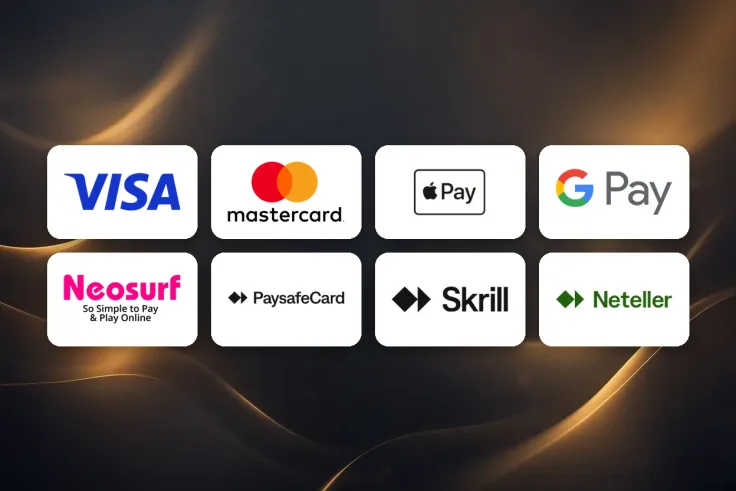
The payment methods are Visa, Mastercard, Apple Pay, Google Pay, Neosurf, Paysafecard, Flexepin, POLi, Skrill, Neteller, MiFinity, Jeton, Bank transfer, Bitcoin, Ethereum, Litecoin and Tether (USDT). Withdrawal times depend on the method: E-wallets up to 1 hour; cards 1–5 days; bank transfer 1–7 days. The deposits page goes through the payment side in more detail, and the withdrawals page covers cashing out.
Identity verification is required at National Casino, so it is worth reading the verification page before you sign up on your phone. Support runs on live chat and email, 24/7, and both are reachable from the same phone you play on.
The welcome offer is 100% Match Bonus + 100 Free Spins (first deposit), with 40x bonus wagering and 100 free spins. The free spins apply to: Slots; free spins on Avalon - The Lost Kingdom (50 after deposit, 50 after 24 hours). The welcome bonus page has the full picture. T&Cs apply.
iPhone, Android and the mobile site
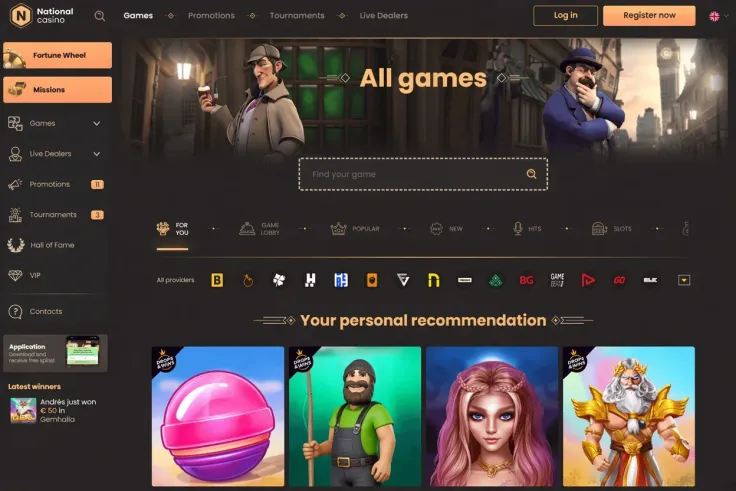
None of the three routes involves a native app, so the real difference is the browser. On iPhone you use Safari, and the home screen shortcut comes from the Share menu. On Android you use Chrome, and the shortcut comes from the browser menu. The shortcut gives you one-tap access to the same mobile site; it does not turn it into an app.
The iPhone page and the Android page each follow their own browser and its menus, with wording that matches what you will see on screen. The mobile page is the general version: it covers the steps for playing in a phone browser and works as the starting point if you are not sure which page you need.
The practical difference between the pages is therefore the device in your hand, not the casino. The games, the payment methods, the support channels and the account all belong to National Casino and stay the same whichever page you read. What changes is the browser you open, the menus you tap and the way you add a shortcut.
Because the casino is reached through a browser, nothing on your phone is tied to a store listing. That also means a message, an advert or a website that offers a National Casino app file is not something to trust. Apps from unknown sources can carry malware, so do not install one.
18+ · T&Cs apply
Where to start

Pick the page by the phone you hold. If you use an iPhone, go to the iPhone page. If you use an Android phone, read the Android page. If you play from a tablet or switch between devices, the mobile page is the neutral choice.
A few practical points help decide what else to read before you sign up:
- Payment: if you want to pay with Apple Pay or Google Pay, check on your own phone that the method works for you before you start.
- Live games: live dealer games stream, so a stable connection matters more than for a simple slot.
- Support: live chat and email are open 24/7, which is useful if a login or payment problem appears on your phone.
- Verification: have your documents ready, since identity checks are required and the verification page explains the process.
Before you deposit from a phone
Lock your phone with a passcode and do not let others use it while you are logged in to National Casino. If the browser offers to save your password, think twice on a shared device. Keep the browser up to date as well, so the mobile site loads the way it should.
Check the deposit limits and time-out tools if the account offers them, and set a limit before your first deposit. Choose a deposit amount you can afford to lose, since gambling is entertainment that costs money and results are random. The safer gambling page explains the tools in more detail.
If you play on mobile data rather than Wi-Fi, keep an eye on your data allowance, particularly for live dealer streams. Before you make a deposit with a phone wallet or a card, check the amount on the confirmation screen, and read the bonus terms first if you plan to claim an offer with it.