

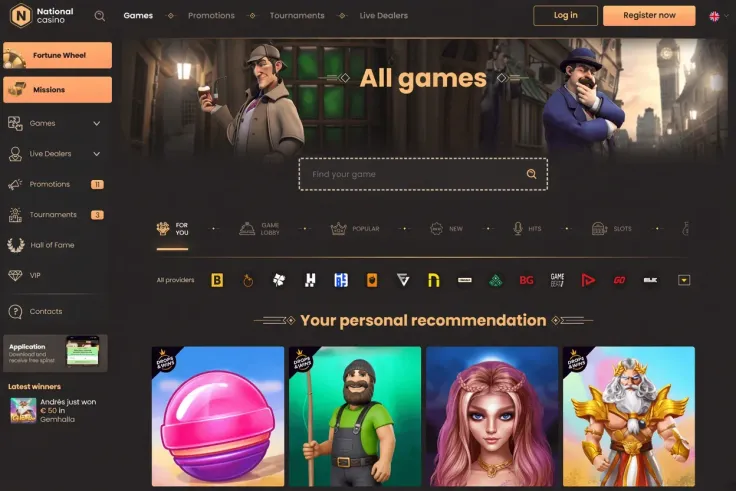
National Casino sign up follows the steps above: you open the website, choose to register, enter your personal details and verify your identity. You must be 18 or over.
Before you start, put three things within reach: your personal details, the documents listed in the table above and the device you will use to register. Registering takes less time when nothing has to be looked for halfway through. If you already have an account, the login guide is the page you need instead.
What stands behind the registration steps

Personal details. Enter your details accurately, exactly as they appear on your documents. A mismatch between the name or address you enter and the one on a document is a common reason for a document to be refused, and fixing it later takes longer than getting it right the first time. Use your own email address, one you can open, because you will need it to recover the account if you forget the password.
Identity verification. Verification is required at National Casino. The documents listed are Passport or national ID card, Proof of address, Proof of payment and Selfie or video call on request. The verification page explains each of them. Have clear images ready, with all four corners of the document visible and no glare, and keep them in a place you can reach from the device you are using. Do not edit or crop a document in a way that hides details.
The welcome offer. The steps end with a first deposit and a welcome offer. Read its terms before you pay in. The welcome bonus page covers the offer, and the no deposit bonus codes page covers offers that need no deposit. T&Cs apply.
Making your first deposit. The deposit guide lists the payment methods and what to check. This site has no sign-up form, so you create your account on the casino's own website and enter your details only there.
On your phone. There is no iPhone or Android app for National Casino. You register in your phone's browser, in the same way as on a computer, so there is nothing to download or install.
18+ · T&Cs apply
If registration does not go smoothly

A document is rejected. Check that the image is clear, complete and current, and that the details match what you entered. Then upload it again. If it is refused a second time, contact support and ask which part of the document could not be read, rather than sending the same image again.
You are unsure what to submit. Look at the list of documents above and match each one to what you have. A passport or national ID card shows who you are, proof of address shows your address, and proof of payment links the payment method to your name. If it is still unclear, ask support before you upload anything.
You cannot finish the steps. Close the browser, reopen the casino website and try again. If the same problem comes back, contact support through live chat or email. Support is available 24/7, and there is no phone line. Keep a note of any message that appeared on screen, or save a screenshot, and include it in your message.
Forgotten details. Keep a record of the email address and password you used, in a place only you can open, such as a password manager. If you forget the password later, use the reset on the casino's own website.
You entered a detail wrongly. If you notice a typo in your name, date of birth or address after you submit, contact support before you upload documents, because a record that does not match the documents is the most common cause of a second request.
A selfie or video call is requested. The documents list includes a selfie or video call on request. If support asks for one, do it from the account you registered, in a well-lit place, and keep your document at hand.
Starting with a secure account

Use a password you do not use anywhere else, and enter it only on the casino's own website. Check the web address before you type your details, and do not follow registration links from messages or emails.
Set the limits that the account offers before you play, if it offers them, and keep to the amount you decided in advance. Keep your documents saved on your device so that verification does not hold up your first payment.
Think about the email address before you register. Use one that only you can open, and keep it up to date, because messages about the account and password resets go there. A shared inbox or a work address you may lose access to makes recovery harder.
Register only in your own name and with your own details. Log out when you finish on a shared phone or computer, and do not share your login with anyone, including someone who says they work for support.