

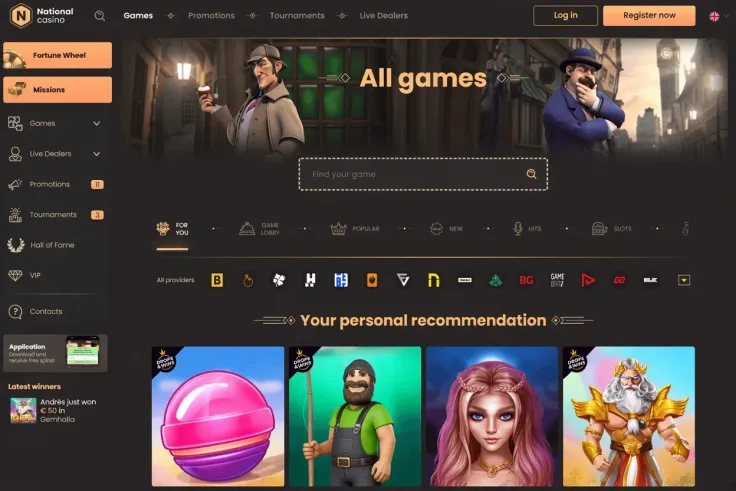
The National Casino login takes place on the National Casino website, in a desktop browser or on your phone; there is no app for iPhone or Android. The steps above show the sequence, so this guide covers what to have ready and what to do when signing in does not work.
Before you start, have the email address or username you registered with and your password to hand. If you have not opened an account yet, the sign-up guide covers that first. It also helps to have your identity documents ready, because National Casino requires verification and may ask for them. This site has no login form: your password belongs only on the National Casino website.
What happens when you log in

Signing in matches the email address or username and password you enter against the details stored for your account. There is nothing more to it than that, which is why the password is the one thing that protects your balance and your personal details. A mistyped address, a password with the wrong capital letter or an autofill entry from an old account are the usual reasons a correct-looking login fails.
Desktop and mobile
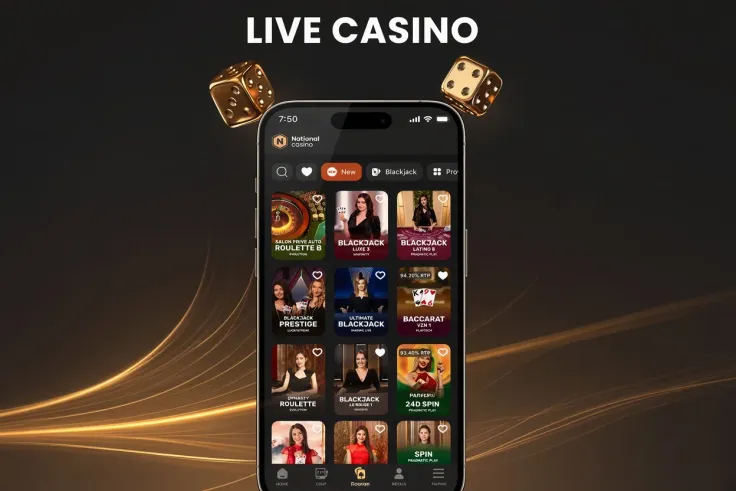
The National Casino website works on desktop and on mobile. On a phone you use the same address and the same login details as on a computer, in your mobile browser. There is no app for iPhone or Android, so the login always happens in the browser. Since National Casino has no app, do not enter your login details in any app that uses its name. The mobile site guide goes through how the site works on a phone.
Identity verification
National Casino requires identity verification. The documents it may ask for are Passport or national ID card, Proof of address, Proof of payment and Selfie or video call on request. A casino checks these to confirm your age and identity and that the payment methods on the account are yours.
In practice, these points make the check go smoothly:
- The name on your documents matches the name on your account exactly.
- The proof of address shows the same address you registered with.
- Every copy is complete and readable: every corner visible, no glare, no cropped text.
If a selfie or video call is requested, it is part of the same check, used to match your face to the identity document. The verification guide explains how to prepare each document.
Support channels
National Casino support is available 24/7 through live chat and by email. There is no phone support. Live chat suits a login problem you want to sort out while you are at the screen; email suits cases where you need to attach a screenshot or a document.
18+ · T&Cs apply
Common login problems and what to do
You have forgotten your password
Use the password reset option on the login screen, as the steps above show. Choose a new password you have not used elsewhere, and update any password manager entry so the old one is not filled in again. If the reset does not go through, contact support by live chat or email.
The details are right but the login still fails
Check the basics first: that you are using the email address or username you registered with, that caps lock is off and that your browser has not filled in an old password. Then try these general fixes:
- Clear the browser cache and cookies for the site, then sign in again.
- Try a different browser or switch between Wi-Fi and mobile data.
- Update your browser to the current version.
- Turn off browser extensions that block scripts or pop-ups, then try again.
If none of this helps, contact support and describe what you see, including any error message, word for word.
A document is rejected
A rejected document usually comes down to the copy, not the document. Take a new photo or scan in good light, with the whole page visible and nothing cut off. Make sure the name and address match your account. For proof of address, use a recent document that shows your full name and address. If you are unsure which document to send, ask support before uploading again.
A deposit or withdrawal does not go through
A payment problem is separate from the login itself. Check that the payment method is in your name and that the details are entered correctly. The deposits guide and the withdrawals guide cover the payment side in detail. If a withdrawal takes longer than you expect, contact support with the date and amount rather than submitting the request again.
When to contact support
Contact support when a reset does not work, when the site shows an error you do not understand, or when you think someone else has used your account. Support is available 24/7 by live chat and email. Before you write, note the device and browser you use, the time the problem started and any error message, so support has what it needs from the first message. Never send your password, in full or in part, in a chat or email.
Keep your account safe and in your control

Your password is the main protection on the account, so treat it with care:
- Enter it only on the National Casino website. This site, emails and messages are never the place to type it.
- Type the address yourself or use a bookmark, rather than following links from messages you did not expect.
- Use a password you do not use for any other service, and store it in a password manager.
- Log out after each session on a shared or public device, and do not let the browser save the password there.
- On a device shared at home, use a separate browser profile so your login details are not filled in for anyone else.
Keep your identity documents ready in a safe folder on your device. If National Casino asks for verification, you can then send clear copies straight away, and the names and addresses will already match.
Control matters as much as security. If the account offers deposit limits, set one before you play, at an amount you can afford to lose, and do not raise it in the middle of a session. The safer gambling page explains the tools in general and where to find free, confidential help.
If you notice activity you do not recognise, change your password straight away and contact support. Do not wait to see whether it happens again. Then review the payment methods and personal details on the account, so you know nothing else was changed.