

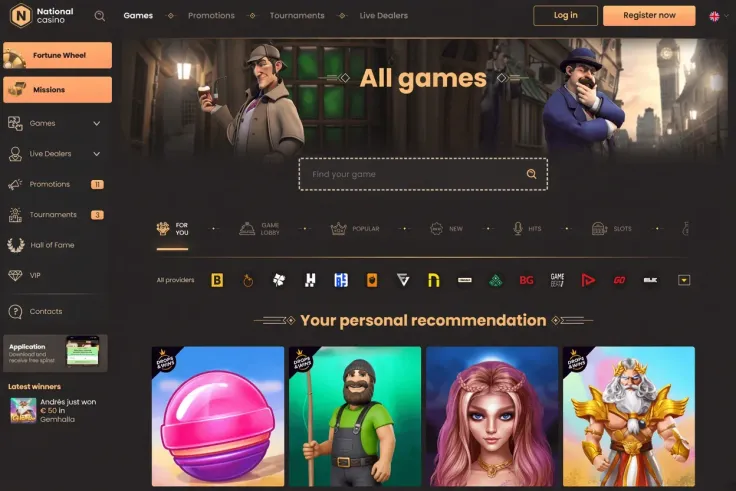
National Casino has no iPhone app and no Android app, so the National Casino mobile experience is the mobile site, which opens in your phone's browser. You do not download anything from an app store. If you want a shortcut on your home screen, your browser's Add to Home Screen option sets one up, as the steps above show.
This page explains what that means in practice, how to find your way around, and what to set up on your phone before you play.
What you can do on the mobile site

The mobile site is the way to reach National Casino from a phone. You open the browser, go to the casino and either log in or create an account. If you are new, the sign up page walks through registration, and the login page covers returning to an existing account.
National Casino offers live casino games, and the games section of this site gives an overview of the range. Which individual games load smoothly on a particular phone depends on the device and the connection, so it is worth trying a game you like before you rely on it.
Because there is no native app, there is no separate version to keep up to date. You open the same site each time, in whichever browser you already use.
One practical difference from a computer is screen size. Menus, tables and game windows are smaller on a phone, so take a moment to read what is on the screen before you confirm a deposit or accept an offer. Turning the phone sideways gives more room for most game screens.
No app to install

There is nothing to install for National Casino on either iPhone or Android. You will not find a National Casino listing to look for in the App Store or Google Play, and you should not need an app store at all.
Be careful with anything that claims otherwise. Do not install files from unknown sources, links in messages, ads or pages that offer a National Casino app. A file like that did not come from the casino's own website, and installing it can put your phone and your account details at risk. If you want to know what the app situation looks like across platforms, the app page gives the summary, with the iPhone app and Android app pages covering each system.
What you do get is the browser version, and the steps above show how to reach it. Adding a home screen shortcut is optional. It only saves you typing the address, and it opens the same site in your browser. If you share your phone with someone else, a shortcut also makes it easier for them to open the casino, so think about whether you want one on a shared device.
Practical points before you play on a phone
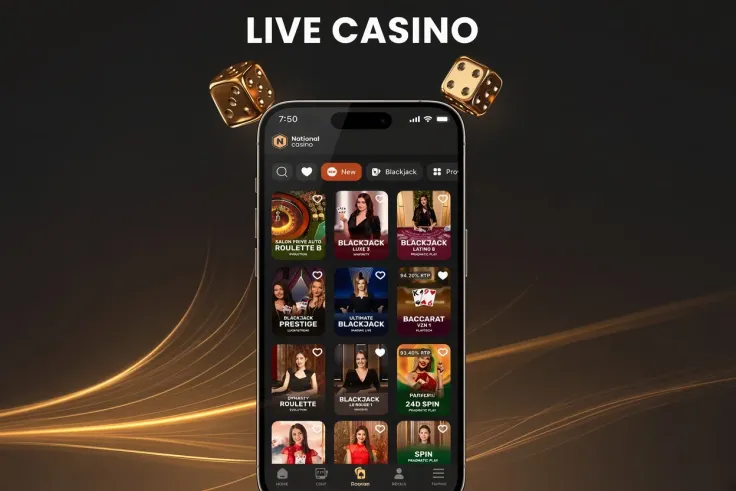
Protect the device. Your phone is the way into your account, so use a screen lock with a passcode or biometric unlock, and do not hand the phone to anyone while you are logged in. Log out when you finish, especially on a shared or borrowed device. Do not save your password in a browser that other people use.
Check your connection. Browser play depends on the connection you are on. Mobile data and public Wi-Fi are different situations: avoid logging in or depositing over an open public network, and keep an eye on your data allowance if live games are something you plan to open, since streamed video uses more data than a standard page.
Set limits first. If the account offers deposit limits, time-outs or self-exclusion, set them up before you start rather than after. Phone play is easy to fit into spare moments, which is exactly why limits help. The safer gambling page explains how these tools work in general.
Keep your browser up to date. An up-to-date browser handles games and secure pages better than an old one, and it is the one thing you control in place of app updates.