
A National Casino deposit starts in your account and follows the steps above: you log in, open the cashier, choose a payment method, enter an amount and confirm. The only choice that needs thought is the payment method, so look at the table of methods before you begin and pick one that is in your own name.
Have three things ready before you open the cashier: your account login, the payment method you plan to use and the amount you have decided on. Verification is part of National Casino, and the documents it lists are Passport or national ID card, Proof of address, Proof of payment and Selfie or video call on request, so it helps to know where they are. If you do not have an account yet, the sign up page comes first.
What stands behind the deposit steps

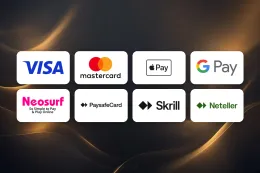
Choosing a method. The payment methods are Visa, Mastercard, Apple Pay, Google Pay, Neosurf, Paysafecard, Flexepin, POLi, Skrill, Neteller, MiFinity, Jeton, Bank transfer, Bitcoin, Ethereum, Litecoin and Tether (USDT). The table above marks each one for deposits and for withdrawals, and the two columns do not always match. Choose with the table open, and if you may want to take money out later, look at the withdrawal column as well before you pay in. The withdrawal guide covers payouts and how the methods compare when you cash out.
Identity checks. National Casino requires identity verification. The documents listed are Passport or national ID card, Proof of address, Proof of payment and Selfie or video call on request. It is easier to have them ready before you start than to look for them in the middle of an account task. If a payment method is registered in someone else's name, expect questions about it, and use a method that is in your own name. Never try to work around a check: a document that does not match your account will only cause delays.
Cards, e-wallets and vouchers. The methods range from cards and bank transfer to e-wallets, prepaid vouchers and cryptocurrencies. They differ in what you need to set up first. An e-wallet needs its own account, a prepaid voucher needs to be bought beforehand, and a crypto payment needs a wallet that you control. A card or bank transfer needs the details to match the name on your account. Check what you need for your chosen method before you open the cashier, so you do not have to hunt for a code or a login halfway through.
Amounts and currency. The cashier takes the amount you type in, so read it back before you confirm. If you pay with a crypto method or an e-wallet, the amount shown in your own wallet may be in a different currency from the one on the casino account, so compare the two figures on the confirmation screen rather than assuming they match.
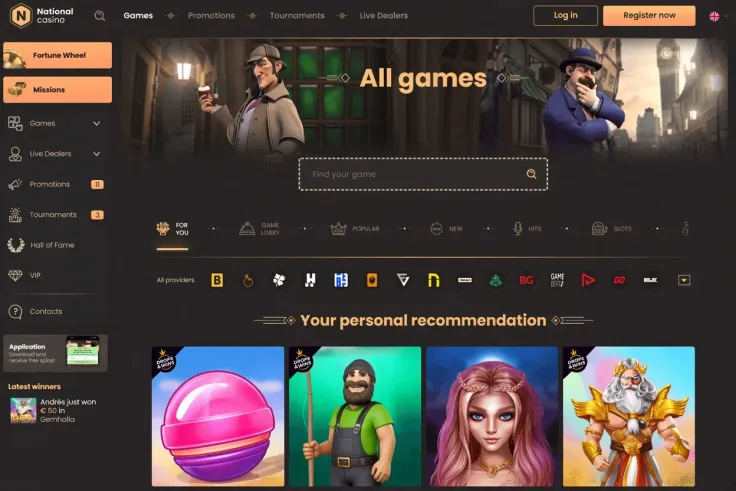
The cashier. The cashier is where the deposit happens, and it is on the casino's own website. This site has no payment form, so you never enter card or account details here.
Bonuses. If you plan to deposit for an offer, check the terms first. The welcome bonus page covers the current offer. T&Cs apply.
18+ · T&Cs apply
If something goes wrong
The payment does not go through. Check the amount and the details you entered, including the card number, expiry date and the name on the account. Then try again or pick another method from the table. A declined payment may be a matter for your bank or payment provider, so check with them as well. Do not repeat the same payment many times in a row: wait until you know whether the first attempt went through.
The money has left your account but the balance has not changed. Keep the confirmation from your bank, e-wallet or crypto wallet, and note the time and the amount. Then contact support with those details. Do not pay again until you know what happened to the first payment.
A document is rejected. If verification asks for documents again, check that each image is clear and complete, that no corner is cut off, and that the name matches your account. A photo taken in poor light is a common reason for a second request. The verification page explains the process.
You cannot log in. If your password does not work, use the password reset on the casino's own website. If that does not help, contact support and explain what happened. You can also read the login guide.
When to contact support. Support offers live chat and email, with hours of 24/7. There is no phone line. Give the support team your account name, the payment method, the amount and the time of the payment, and keep any confirmation you received. Live chat suits a question you want answered while the cashier is still open; email suits a case with documents or screenshots to attach.
Keeping your account secure

Enter your password only on the casino's own website, and check the address in the browser before you log in. Do not follow payment links in messages or emails, and do not share your login or your payment details with anyone, including someone who says they work for support.
Use a payment method that belongs to you, and keep the same one where you can, so that names and records match when verification asks. Keep your documents saved on your device so that verification does not become a delay, and log out when you finish, especially on a shared device.
If the account offers deposit limits, set one before your first deposit, not after, and keep to the amount you have decided on. Check your payment history now and then against your bank statement, so that any payment you do not recognise is noticed early.